


RepairSolutions2
4.78.96K Reviews
App Specs
- Version
- 2.7.1
- Updated On
- License
- Free
- Downloads
- 1,000,000+
- Developer
- Innova Electronics Corporation
- Categories
- Auto & Vehicles
- Platform
- Android, iOS
Screenshots
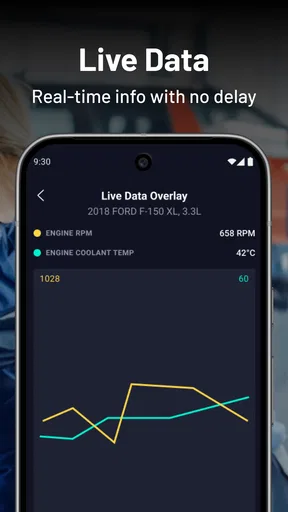
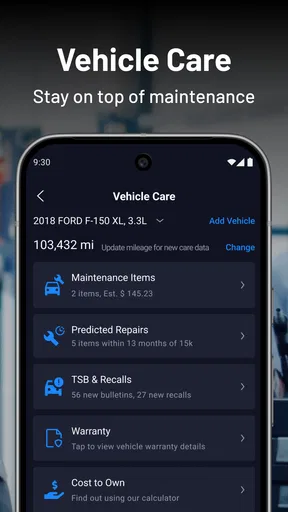
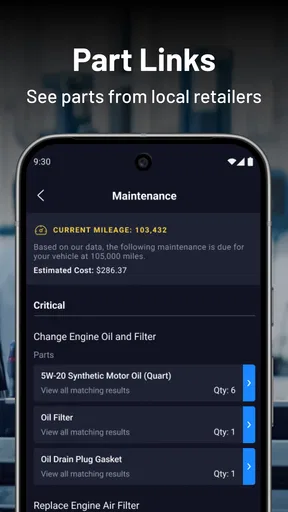
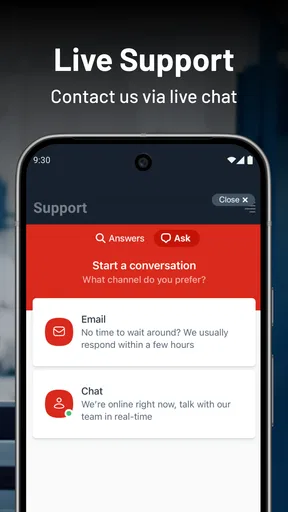
 Analysis by AppCompare
Ever found yourself in a bind with your car, not knowing what's causing that annoying engine light to pop on? Well, let me introduce you to RepairSolutions2. I recently took this app for a spin, and wow, does it pack a punch for anyone who’s not exactly a car guru.
A practical starting point for a warning light
I’d treat the app as a way to get oriented, not as a replacement for a mechanic or a promise that a repair will be simple. The useful first step is pairing it with a compatible OBD2 scanner, then checking what the diagnostic points to before deciding what to do next. That distinction matters: an app can help translate a fault into a more understandable starting point, but a diagnosis still needs context from the car, its symptoms and, when appropriate, a qualified technician.
For a realistic everyday case, imagine a warning light appearing on the way home. If it is safe to stop, connecting the scanner and reviewing the result can help you describe the issue more clearly when you call a repair shop. I would note what the car was doing and share the diagnostic details, rather than assuming the first suggested fix is automatically the right one. If the vehicle feels unsafe or is behaving unusually, getting professional help takes priority over app troubleshooting.
What’s the Deal with RepairSolutions2?
Alright, so here’s the scoop. RepairSolutions2 is like having a mini mechanic in your pocket. It connects with your car’s OBD2 scanner and gives you a rundown of what’s happening under the hood without you having to get your hands dirty. Imagine your car telling you what’s wrong, and you don’t even have to speak its language!
Getting Started
Setting up the app is a breeze. I downloaded it on my Android, and it was smooth sailing from there. After pairing it with my OBD2 scanner, the app walked me through the process like a pro. It even gave me tips on where to plug the scanner into my car. Super handy for those who are as clueless about car stuff as I am.
Before buying or borrowing a scanner, I’d check that it works with the app; compatibility is the first practical hurdle, not a detail to leave until the dashboard is already lit. The app itself is free, though it also offers in-app purchases priced from $9.99 to $29.99 per item. I’d start with the free experience and only consider a paid item if I understood what it adds and expected to use it. It runs on Android 10 or later, and the app is also available for iOS users.
Once connected, I’d make the first scan a calm, deliberate one: park safely, follow the scanner’s instructions, and read the result before clearing anything or acting on it. A diagnostic code is a clue, not a complete story. Keeping the exact result handy gives you something concrete to discuss with a mechanic and makes it easier to compare advice without relying on memory or a vague description like “the engine light came on.”
Worth Reading Before You Choose

EA SPORTS FC Mobile 26 Is a Bigger Football Game, but It Takes Time

Flipboard Shows What News Apps Must Do Beyond the Feed

Switching to Android Auto Means Rethinking Your Driving Routine

Google Calendar Makes a Crowded Week Easier to Manage

Ludo King Makes the Most of the Minutes Between Plans

Baby Panda World Brings Quick Play to Modern Phones, but Its Game Library Feels Busy
Features That Stand Out
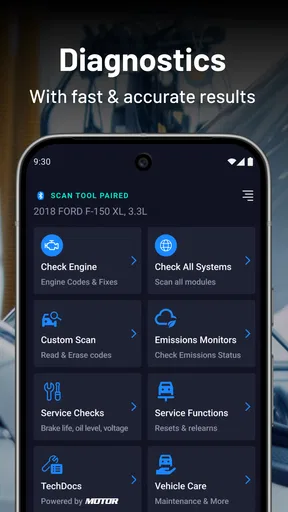
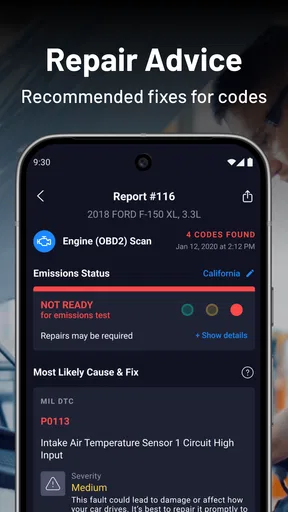
One of my favorite things about this app is the detailed diagnostics. It doesn’t just throw technical jargon at you. Instead, it breaks down the issues in a way that makes sense. Plus, it offers repair solutions, so you know whether you can tackle the problem yourself or if it’s time to call in the professionals.
The app also tracks your car’s maintenance schedule. It’s like having a personal assistant reminding you when it’s time for an oil change or tire rotation. Trust me, this is a lifesaver for anyone with a busy schedule.
Those two jobs—interpreting a fault and keeping routine maintenance in view—serve different needs, so I wouldn’t treat them as interchangeable. A warning-light check is reactive; maintenance tracking is most useful when you build a repeatable habit around it. I’d review the schedule when planning regular upkeep, then keep repair decisions separate from routine reminders. That helps avoid mistaking a general maintenance task for an answer to a specific warning light.
For someone maintaining more than one vehicle in a household, consistency is the real advantage: use the same basic routine each time, confirm which car the scan concerns, and make a note of the symptoms alongside the result. That small discipline can make conversations with a shop more productive. It is especially handy for drivers who want to be informed without pretending that reading a diagnostic explanation makes them an expert mechanic.
Why You’ll Love It
What truly makes RepairSolutions2 shine is its user-friendly interface. It’s designed with the everyday driver in mind, ensuring you don’t feel overwhelmed. Navigating through the app feels intuitive, and I found myself getting the hang of it in no time.
The app is a better fit for drivers who are comfortable following setup prompts and want a clearer first look at vehicle issues than they get from a warning light alone. It can also suit a hands-on owner who likes to check maintenance and investigate before booking a repair. If you prefer a human to interpret everything, have no interest in connecting a scanner, or need an immediate roadside response, a repair shop or roadside service is the more suitable first choice.
Compared with a basic code reader that mainly displays a code, this app’s appeal is the combination of diagnostics and repair guidance in a more approachable format. Compared with going straight to a mechanic, it can help you arrive with better questions, but it cannot inspect the car physically or confirm every cause. I see it as a useful bridge between a dashboard warning and informed professional advice, rather than a substitute for either one.
Settings and habits worth checking
I would keep the routine simple rather than hunting for hidden tools: confirm scanner compatibility, follow the app’s connection guidance, and make sure the phone can connect when a feature needs internet access. The app’s prompts are most useful when you work through them in order, instead of repeatedly disconnecting and reconnecting because a first attempt takes longer than expected.
A helpful habit is to scan when parked and not while distracted by driving. If a result appears, read the explanation and repair guidance before deciding whether the issue is within your skills. For routine care, use the maintenance tracking as a planning aid, then verify what your vehicle actually needs rather than assuming every reminder applies identically to every car. That careful approach keeps convenience from turning into overconfidence.
Some Quirks to Consider
No app is perfect, right? While RepairSolutions2 is pretty solid, I did notice that some features require a stable internet connection. Also, make sure your OBD2 scanner is compatible with the app to avoid any hiccups. But honestly, these are minor issues compared to the overall utility the app provides.
There is also a useful limit to keep in mind: repair suggestions can point you toward a likely next step, but the app cannot replace hands-on checks or account for every detail of a vehicle’s condition. A driver who expects a guaranteed diagnosis, a repair completed through the phone, or comprehensive help without an OBD2 scanner may find the experience frustrating. In those situations, a mechanic’s inspection is the better tool, even if the app helps you explain what prompted the visit.
Some features needing a steady connection means I would not make the app my only plan for an urgent breakdown in a place with unreliable service. The practical workaround is to use it while parked somewhere safe and connected, and to seek roadside assistance when the car cannot be driven safely. It is designed to help with diagnostics and maintenance, not to make a risky drive acceptable.
Who it suits, and the final call
Innova Electronics Corporation makes this free Auto & Vehicles app for a broad audience, and its Everyone age rating fits the straightforward, everyday-driver approach. It has a 4.7 average from around 25,000 ratings, with over 1 million installs. The current version is 2.6.1; it was released on September 9, 2019. Those details help place it as an established option, but the deciding question for me is still whether you have a compatible scanner and want to take an active role in understanding your car.
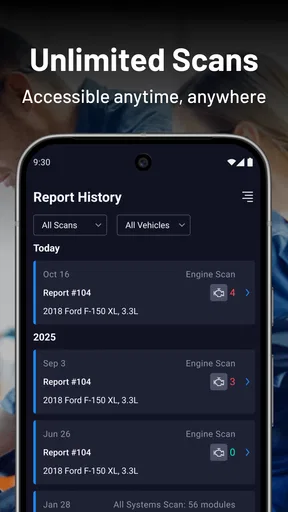
My short recommendation is for curious owners who want plain-language diagnostic help, a way to think through repair options, and a maintenance routine in one place. I would skip it if you do not have a compatible scanner, want a fully hands-off service, or need a mechanic to verify a fault rather than an app to explain it. The most reliable way to use it is as a repeatable first check: connect safely, review the result, consider the repair guidance, and bring unresolved concerns to a professional.
In a nutshell, RepairSolutions2 is a fantastic tool for anyone wanting to keep tabs on their vehicle’s health without stress. It’s like having a mechanic buddy who’s always ready to help out. So, if you’re tired of the guessing game every time that engine light flashes, give this app a try. You might just save yourself a trip to the mechanic.
Pros
- User-friendly interface for easy navigation.
- Comprehensive diagnostic reports provided.
- Supports a wide range of vehicle models.
- Real-time updates on vehicle status.
- Access to repair tips and guides.
Cons
- Requires stable internet for full functionality.
- Limited support for older vehicle models.
- Some features behind a paywall.
- Occasional slow loading times.
- No offline mode available.
FAQs for RepairSolutions2
What is RepairSolutions2 and how does it work?
RepairSolutions2 is an automotive diagnostic app designed to work with compatible OBD2 scan tools. It allows users to easily diagnose vehicle issues by providing detailed code definitions, repair suggestions, and maintenance schedules. Users simply connect their scan tool to the app via Bluetooth to access comprehensive vehicle diagnostics.
Is RepairSolutions2 compatible with all vehicles?
RepairSolutions2 is compatible with most vehicles manufactured after 1996, as these models typically support the OBD2 standard. However, compatibility can vary based on the specific vehicle make and model, so it's recommended to check the app’s compatibility list or user manual for specific vehicle support before downloading.
What features does RepairSolutions2 offer?
RepairSolutions2 offers a variety of features, including real-time vehicle diagnostics, error code explanations, and repair suggestions. The app also provides a maintenance tracker, allowing users to keep tabs on upcoming service needs. Additionally, it offers technical service bulletins and recall information tailored to your specific vehicle.
Do I need any additional equipment to use RepairSolutions2?
Yes, to use RepairSolutions2, you will need a compatible OBD2 scan tool. This device connects to your vehicle’s diagnostic port and communicates with the app via Bluetooth. The scan tool is essential for retrieving diagnostic information from your vehicle, which the app then analyzes and presents in an easy-to-understand format.
Is there a cost associated with using RepairSolutions2?
The RepairSolutions2 app itself is free to download, but you will need to purchase a compatible OBD2 scan tool to use its full functionality. Some advanced features or detailed repair guides within the app may also require in-app purchases or subscriptions. It's advisable to check the app store for any pricing details.


